One Step GPS and Fleetio Integration Guide | Setup & Sync
Feb 2, 2026•8m
The Fleetio × One Step GPS integration at a glance
Key takeaways
- Integration takes ~15 minutes with One Step GPS support
- Requires API Key, Account Token, and vehicle list
- Syncs odometer, engine hours, DTCs, and location data automatically
- Updates occur every minute while vehicles are on
- Live vehicle location inside Fleetio — see every route and stop automatically without manual uploads.
- Data is secure, encrypted, and easily monitored through Fleetio
Quick steps
- Generate your Fleetio API Key and locate your Account Token
- Prepare your vehicle list (with unique identifiers)
- Email integrations@onestepgps.com with your info
- Wait for One Step GPS support to complete setup
- Validate data flow in Fleetio
This guide is for:
- Fleet managers who use Fleetio and want to eliminate manual data entry
- Maintenance teams who want live DTC fault alerts
- Operations admins setting up One Step GPS and Fleetio integration for compliance or reporting
Bonus: If you manage multiple depots or assets, the One Step GPS and Fleetio integration keeps all your vehicles' meters synced automatically, no spreadsheets required.
Why integrate One Step GPS with Fleetio?
Short answer: The One Step GPS and Fleetio integration automates your fleet maintenance and eliminates manual data entry through real-time telematics.
Beyond maintenance automation, this integration gives you live visibility across your fleet, so you can track movements, confirm job site arrivals, and respond faster to route or safety issues.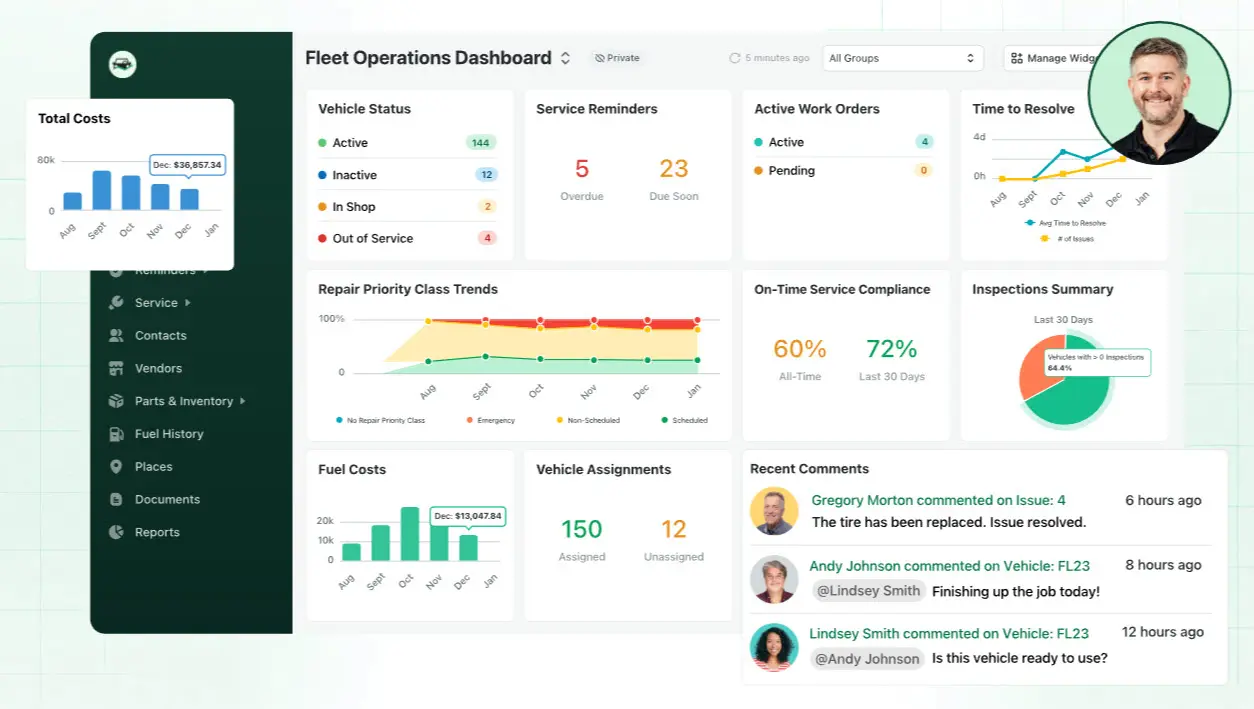
- Catch unexpected repairs faster: DTCs and engine faults sync directly to your Fleetio dashboard
- Simplify diagnostics: See detailed fault code descriptions instantly
- View vehicle status anytime: Get real-time location and driving state inside Fleetio
- Automatic odometer syncs: Updates occur every time ignition turns on/off or on demand
- Automatic engine hour counters: Syncs ignition-on/off hours or manually trigger updates
The same data powering your Fleetio dashboard comes from One Step GPS's real-time fleet tracking system. For only $13.95/month, you get real-time updates every 1-30 seconds, with no contracts and no equipment fees.
Devices are 4G LTE, SOC 2 Type II compliant, and covered by a lifetime warranty with a 100-day money-back guarantee.
View all vehicles 24/7 from any device, see routes, stops, and durations for up to 3 years and receive text or email alerts for after-hours driving, unsafe behavior, or excessive idling.
One Step GPS + Fleetio integration overview
The Fleetio One Step GPS sync uses a secure API to transmit real-time telematics data between both platforms, ensuring accuracy and automation.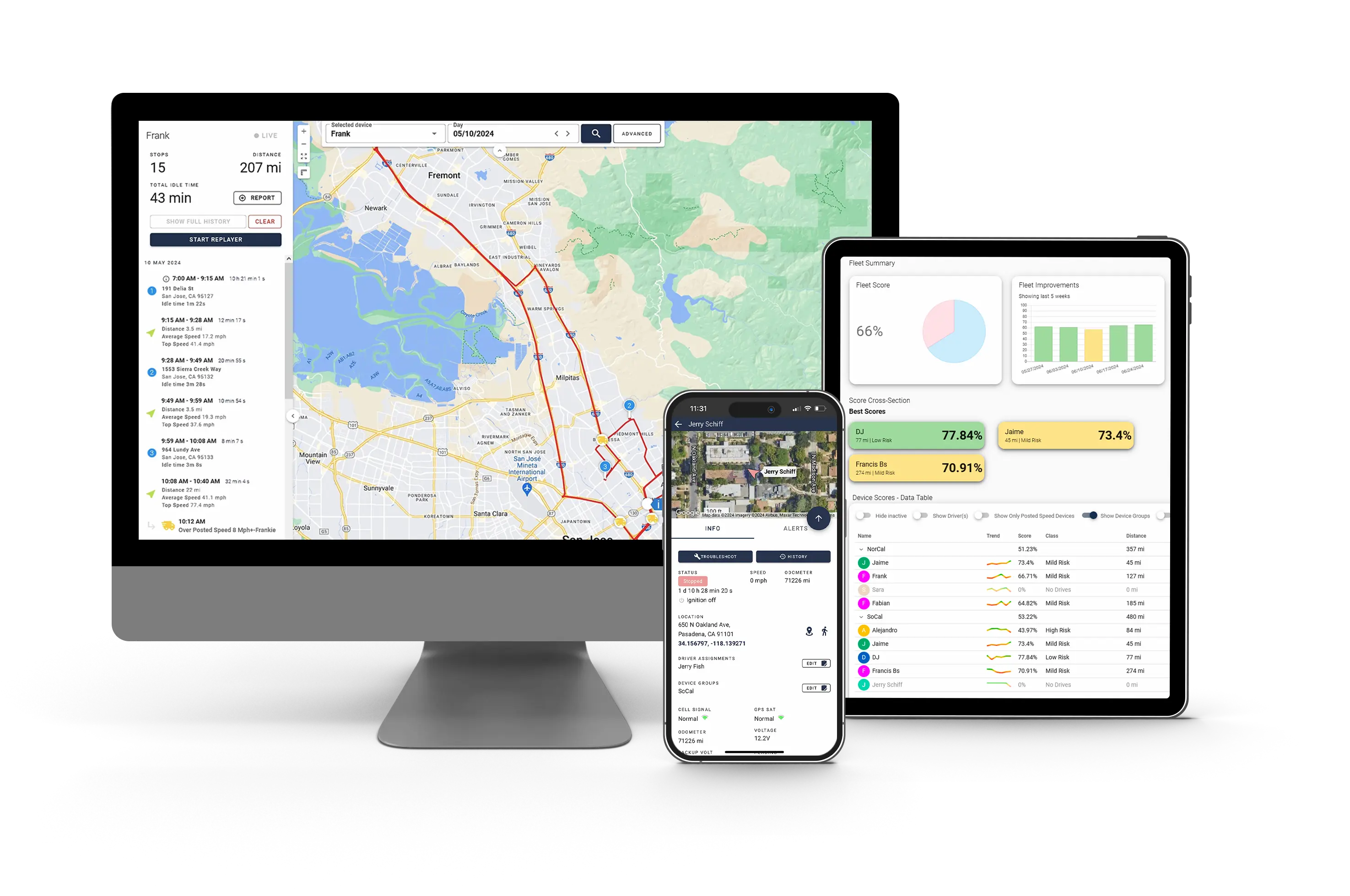
Features included
- Primary Meter — ✅
- Secondary Meter — ✅
- Faults / Diagnostic Trouble Codes (DTC) — ✅
- Vehicle Location — ✅
All data is transmitted securely via Fleetio's API. One Step GPS only updates meters for matched vehicles, those that have identical identifiers in both systems.
Plus, every odometer or fault update includes precise GPS coordinates, ensuring Fleetio's dashboard always reflects each vehicle's true location in real time.
Here's what you need before starting:
- Admin access in both One Step GPS and Fleetio
- Fleetio API Key and Account Token
- List of vehicles with unique identifiers (VINs or asset IDs)
- Active One Step GPS devices installed and transmitting
💡 Side tip
Double-check that your VINs or asset IDs match exactly. Mismatches are the top cause of failed syncs.
How to generate a Fleetio API key and account token?
Short answer: Create an API Key in Fleetio settings and extract your Account Token from your Fleetio URL.
Step-by-step API key creation
- Log in to Fleetio as an Admin
- Go to Account Menu → Settings → Manage API Keys
- Click "+ Add API Key"
- Add a Label (e.g. "One Step GPS Integration")
- Select the API Version from the dropdown
- Click Save
Fleetio will display the new API Key under the Token column. Copy this key, you'll include it in your integration email.
Once your API Key and Account Token are set up, you can integrate One Step GPS meter readings to Fleetio for automated mileage tracking.
Finding your Fleetio account token
Your Account Token is visible directly from your Fleetio URL.
Example:
If your dashboard URL is https://secure.fleetio.com/efg456/dashboard then efg456 is your Account Token.
Keep this token handy. It tells One Step GPS which Fleetio account to sync data with.How do you request integration setup?

Direct answer: Once you have your API Key and Account Token, email integrations@onestepgps.com with your details.
Your email to One Step GPS should include the following:- Fleetio API Key
- Fleetio Account Token
- List of vehicles (with unique identifiers, VINs, or asset IDs)
Once sent, the One Step GPS support team will complete the connection on your behalf.
With the One Step GPS API Fleetio integration, every data point, from odometer readings to engine diagnostics, syncs automatically without manual updates.
How often does data sync between One Step GPS and Fleetio?
Answer: For synchronization frequency, there are two configuration options available:
Basic configuration
- Location updates: Every 30 minutes
- Meter updates (odometer, engine hours): Every 12 hours
- DTC updates: Every 1 minute (sent as soon as we receive them)
Advanced configuration
- Location updates: Up to 1-minute update frequency. Can also send daily at a specific time (e.g., every day at 6 AM)
- Meter updates (odometer, engine hours): Up to 1-minute update frequency. Can also send daily at a specific time (e.g., every day at 6 AM)
- DTC updates: Up to 1-minute update frequency. Can also send daily at a specific time (e.g., every day at 6 AM)
Note: Please be aware that the transmission rate of 1 minute when the ignition is on and 30 minutes when the ignition is off is specific to the GPS device transmitting data to the server.
These updates create new Meter Entries in Fleetio for each matched vehicle, ensuring odometer and engine hours stay current at all times. That means you can literally see a vehicle's movement within a minute of ignition, helping dispatchers and admins verify job completion and driver activity without leaving Fleetio.What data does the One Step GPS and Fleetio integration sync?
Short answer: The One Step GPS and Fleetio integration supports odometer, engine hours, DTC fault codes, and live location, giving you complete telematics visibility inside Fleetio.
What data syncs?
- Odometer (Primary Meter) — Triggers maintenance automatically (e.g., oil change reminder at 5,000 miles)
- Engine Hours (Secondary Meter) — Tracks utilization (e.g., equipment service at 250 hours)
- Faults (DTC Codes) — Identifies engine issues (e.g., P0171: System Too Lean)
- Vehicle Location — Displays live position (e.g., "Unit 105: Driving near Route 90")
💡 Pro tip
You can trigger manual syncs directly from your One Step GPS dashboard if you want immediate updates.
How does this integration improve maintenance management?

Answer: It automates your maintenance workflow by using real-time telematics data from One Step GPS to trigger Fleetio maintenance events and alerts. Because you can see where and when faults occur, fleet managers can assign the nearest technician or pull a vehicle immediately from operation if needed.
Some example scenarios:- Fault code alerts: The One Step GPS DTC sync Fleetio feature automatically creates fault-based service tickets when diagnostic codes appear
- Mileage-based maintenance: Fleetio schedules service reminders automatically
- Engine hour tracking: Heavy-use vehicles trigger service based on engine runtime
How secure is the integration?
Short answer: It's fully secure. Both platforms use encrypted APIs and token-based authentication.
- Through the One Step GPS API Fleetio integration, all telematics data flows securely via HTTPS encryption
- Fleetio API Keys can be revoked instantly at any time
- One Step GPS never stores your credentials. Access is temporary and limited to integration setup
- Role-based permissions in Fleetio restrict integration management to admins only
What if something doesn't sync correctly?

Short answer: Most sync issues stem from mismatched VINs or outdated credentials.
- Confirm vehicle identifiers (VINs, asset IDs) match exactly
- Recheck your API Key and Account Token
- Ensure devices are active and transmitting GPS data
- If needed, email your updated details to integrations@onestepgps.com
💡 Pro tip
Once corrected, data usually syncs automatically within 10–15 minutes.
Here are common integration mistakes to avoid:
⚠️ Common integration mistakes to avoid
- VIN or asset IDs don't match — Vehicles fail to map. Fix: Align IDs in both systems before emailing support.
- API Key copied incorrectly — Integration rejected. Fix: Regenerate and resend your key.
- Inactive GPS devices — No sync data. Fix: Confirm each unit is powered and transmitting.
- Outdated browser cache — Delayed dashboard updates. Fix: Refresh Fleetio or clear cache.
- Reusing old tokens — API access denied. Fix: Always use the latest Account Token.
Conclusion
The One Step GPS and Fleetio integration transforms how fleets track, maintain, and manage vehicles. Once connected, data flows automatically, powering real-time location tracking, automated maintenance scheduling, faster repairs, and smarter dispatching for more efficient operations.
Ready to connect your fleet? Book a quick demo with our team and see how the One Step GPS and Fleetio integration can simplify your operations.
Next steps
- Create your Fleetio API Key and locate your Account Token
- Email integrations@onestepgps.com with your credentials and vehicle list
- Validate that Fleetio is receiving updates and you're done
FAQs
1. How long does setup take?
Usually 10–15 minutes once you have your API Key and vehicle list ready.2. Does One Step GPS charge for integration?
No. The integration is included in your subscription.3. Can I choose which vehicles sync?
Yes. Only vehicles on your provided list will be matched and updated.4. What if my Fleetio data isn't updating?
Re-check that your API Key is valid and your vehicle identifiers match exactly.5. Can I view live vehicle location in Fleetio?
Yes! Once connected, you can see real-time vehicle locations directly in Fleetio, without switching tabs or importing data. It's perfect for dispatching, verifying job completions, or checking idle time.6. Is location tracking secure?
Absolutely, all data, including live positions, is transmitted via encrypted APIs. Fleetio API Keys can be revoked instantly and One Step GPS never stores your login credentials permanently.Author

Mykael Korpash
Fleet and Tech writer
Table of Contents
Start using One Step GPS
Enterprise-grade fleet tracking, $13.95/mo, no contracts
100-day money back guarantee
Lifetime warranty
1-30 second updating
4G LTE Equipment


★★★★ ★ ★
4.9 / 5 Serving over 20,000 fleets
20,000+ of the world's fleets are monitored with One Step GPS




























Author
Mykael Korpash
Fleet and Tech writer
Mykael writes on all things fleet and tech for One Step GPS. She has a nuanced knowledge of actual user experiences with fleet tracking software and of modern fleet issues and covers the most important topics in the space.