Fleet GPS Tracker with Geofencing
Jun 1, 2026•13m
Geofences in fleet tracking at a glance
A GPS tracker with geofencing lets fleets set virtual boundaries and receive real-time alerts when vehicles or equipment enter, exit, or move after hours. This prevents theft, stops unauthorized trips, verifies job-site activity, and automates fleet oversight.Why geofences matter:- Protects vehicles and equipment from theft
- Blocks side jobs and personal trips
- Verifies job-site arrival/departure automatically
- Improves accountability and route compliance
- Reduces operational costs and time spent monitoring manually
What to look for: Unlimited geofences that can trigger alerts when vehicles enter or exit specific areas, with flexible options to notify unlimited users by text, email, or in-app message. Look for fast GPS update rates, detailed reports for time spent in zones, and organizational tools such as color-coding and labeling geofenced areas for easy reference.
Why One Step GPS: Unlimited geofences on every plan, 1-30 second GPS updates for faster alerts, and simple setup that takes minutes. One Step GPS automatically logs entries, exits, and time spent within each zone, and can send real-time notifications to as many users as you need—by email, text, or in the app. Every geofence can be labeled, color-coded, and customized to match your fleet’s structure, all without contracts.
Bottom line: If you manage a fleet, geofencing gives you an additional layer of control, visibility, and protection in real time—and One Step GPS makes it simple to deploy and manage fleet tracking, including geofences, across your entire fleet.
Introduction
A GPS tracker with geofencing gives fleet operators real-time control over where vehicles and assets are allowed to go and instant alerts when they move outside approved areas. This protects high-value equipment, prevents unauthorized use, improves safety, and stops small operational leaks that lead to major costs. If you manage a fleet and want more security, accountability, and automation, geofencing is one of the most effective tools available in modern fleet tracking.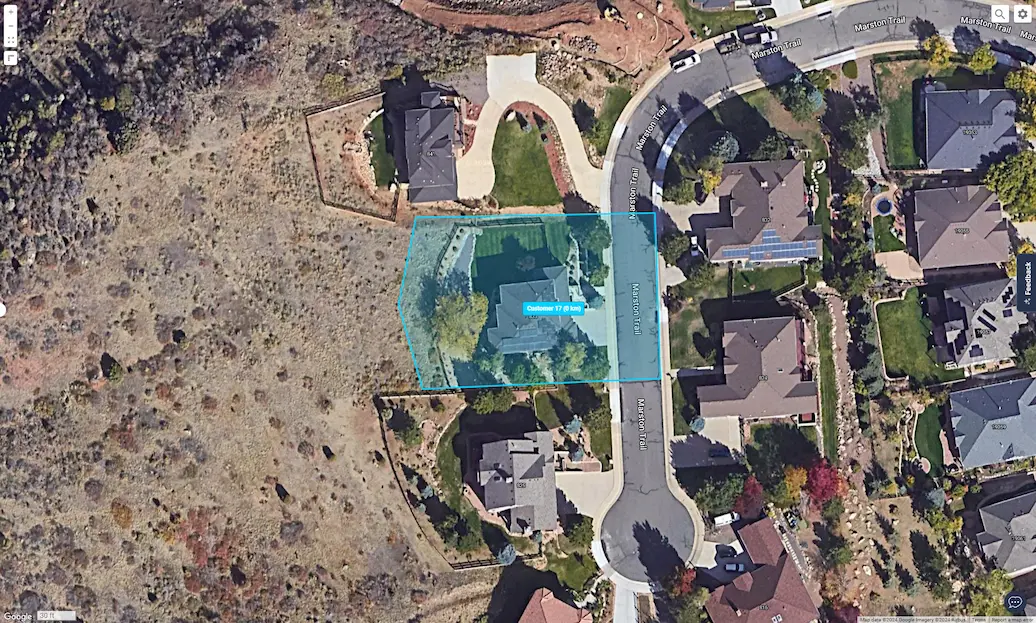
A geofence creates a virtual boundary around a location. When a vehicle enters or exits, you get a real-time geofence alert. With One Step GPS, fleets can create unlimited geofences, set custom rules, trigger alerts to managers, and see all movements live on the map.
This article gives you everything you need to understand geofencing in fleet tracking—how it works, why it matters, real use cases, and how One Step GPS makes this powerful tool simple to use.
What is a GPS tracker with geofencing?
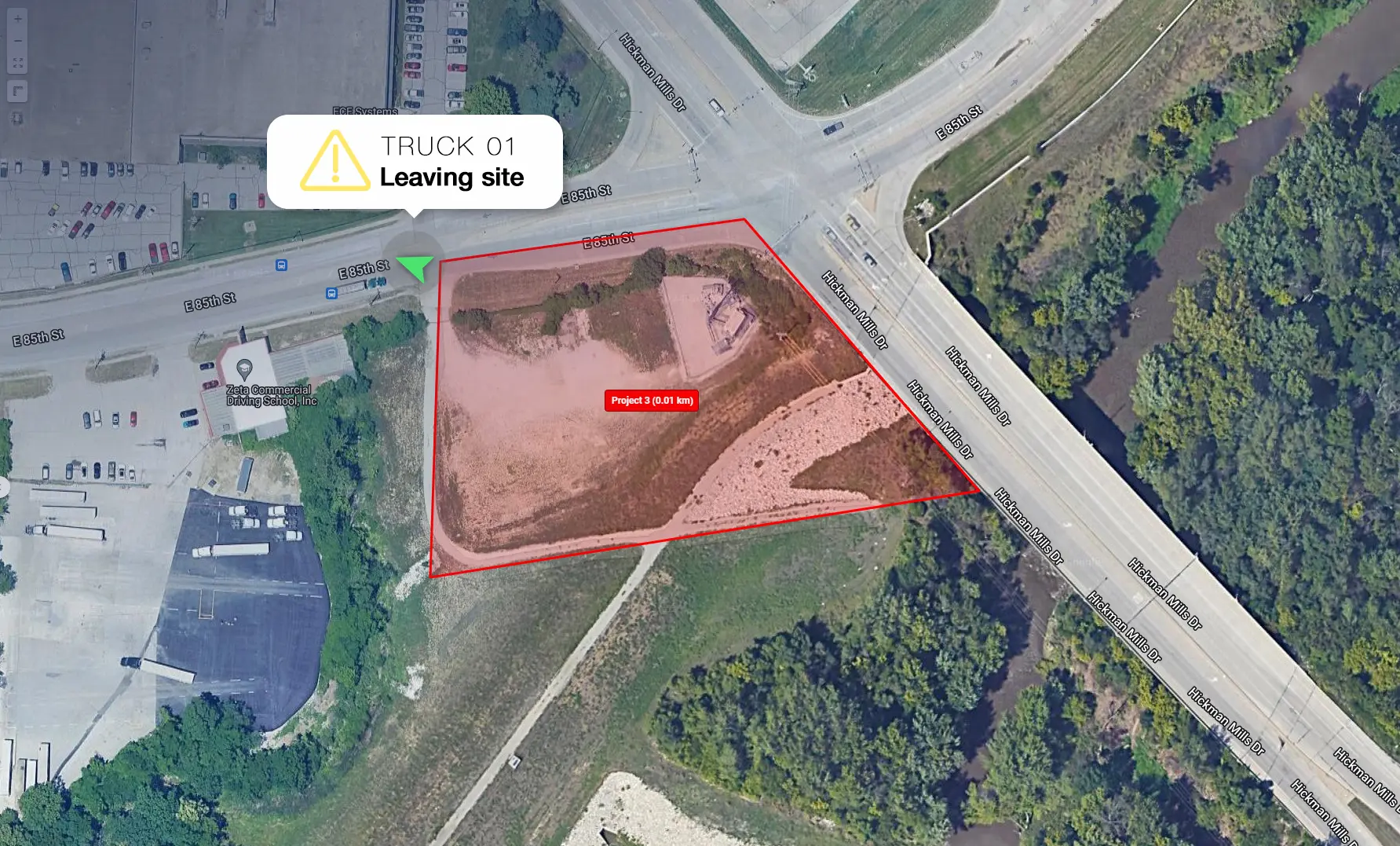
A GPS tracker with geofencing combines live GPS tracking with virtual boundaries that trigger alerts when your vehicle or equipment crosses them. Instead of reacting after something goes wrong, you prevent problems in real time.
Geofencing vs. GPS tracking: what's the difference?
GPS tracking shows you where your vehicles are located. Geofencing tells you when they cross a line that matters. Tracking is the live data feed; geofencing is the rule layer on top of it that turns location into action — triggering an alert the moment a truck leaves a yard, a trailer is moved overnight, or a driver crosses out of an approved service area. You need GPS tracking for geofencing to work, but tracking your own is passive. Geofencing is what turns location data into automated oversight.How geofencing works in fleet tracking
Here’s the simplest breakdown:- Tracker sends live GPS coordinates to the fleet platform
- You draw a virtual zone (circle or polygon)
- Platform compares vehicle location vs. zone
- If the vehicle crosses the rule you set → instant alert
How fast and accurate?
Under open sky, modern fleet-grade GPS trackers achieve accuracy of roughly 6–15 feet — close enough to confirm a vehicle is inside a job site, not just nearby. In dense urban environments, accuracy can drop to 30+ feet as satellite signals reflect off buildings, which is why polygon-shaped geofences (tighter than circles) reduce false alerts in those conditions.
Update frequency matters just as much as accuracy: a tracker pinging once a minute can miss a fast pull-out, while One Step GPS devices update every 1-30 seconds, so a boundary crossing triggers an alert in seconds, not minutes.
The 5 key benefits of GPS trackers with geofencing for fleets
2. Theft prevention & recovery
According to data from the Federal Bureau of Investigation (FBI), motor vehicle theft rates have risen sharply in recent years, from about 200 incidents per 100,000 people in 2019 to nearly 283 per 100,000 in 2023. The increase highlights a growing risk for businesses that depend on vehicles and mobile equipment across industries.
Geofencing acts like a digital tripwire. The moment a vehicle or asset is removed from your yard, job site, or region, you’ll know. And with live GPS tracking, recovery becomes faster, easier, and far more successful.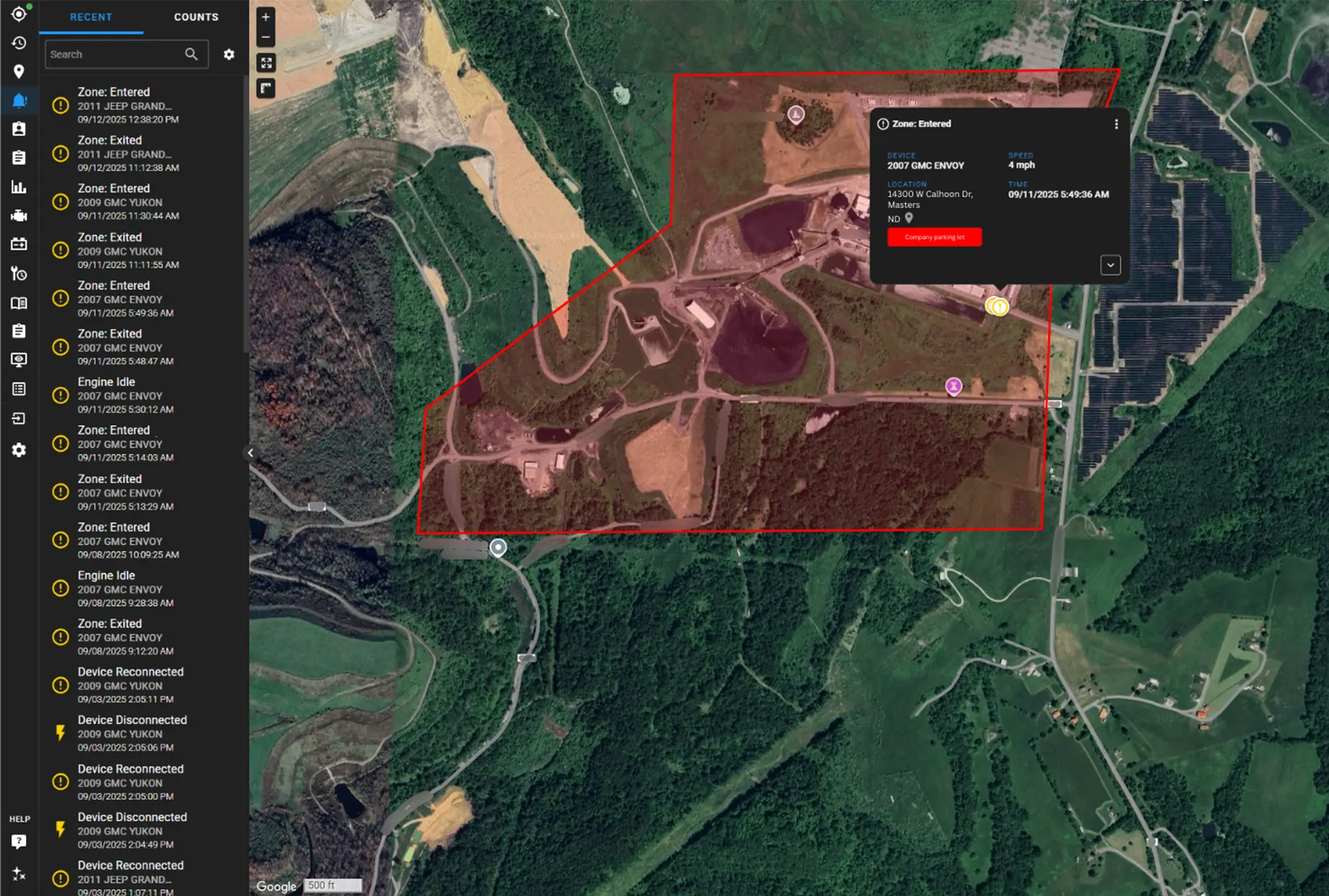
- Detect theft in real time, not hours later
- React immediately before thieves gain distance
- Support faster recovery with live location tracking
3. Optimized routes
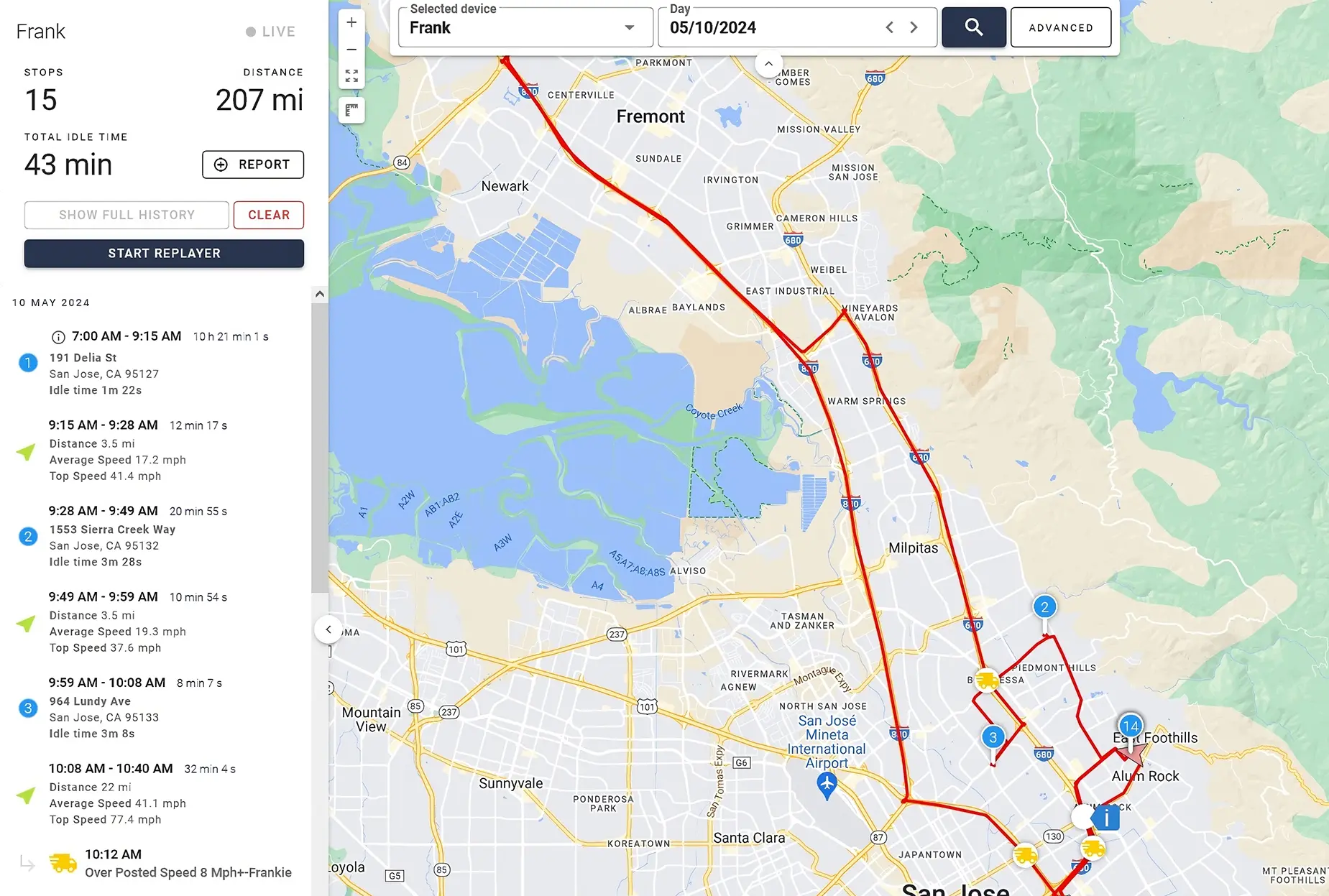
Inefficient routing leads to late arrivals, higher fuel use, and frustrated customers. With geofencing for fleet management, you can create boundaries around service zones, delivery areas, and job-site regions to keep drivers on the most efficient path. If a vehicle leaves its approved route, you’ll know immediately and can correct it before time or fuel is wasted.
- Keep drivers on designated service routes
- Reduce delays and improve on-time performance
- Support dispatch with cleaner, smarter routing decisions
4. Automate reporting
Tracking time on-site, proving service hours, and verifying stops can be a headache without clear data. A GPS tracker with geofencing automates these records by logging each entry and exit.- Auto-track arrival and departure at job sites
- Pull clear logs for billing, payroll, or compliance
- Reduce disputes with verifiable stop history
★★★★★
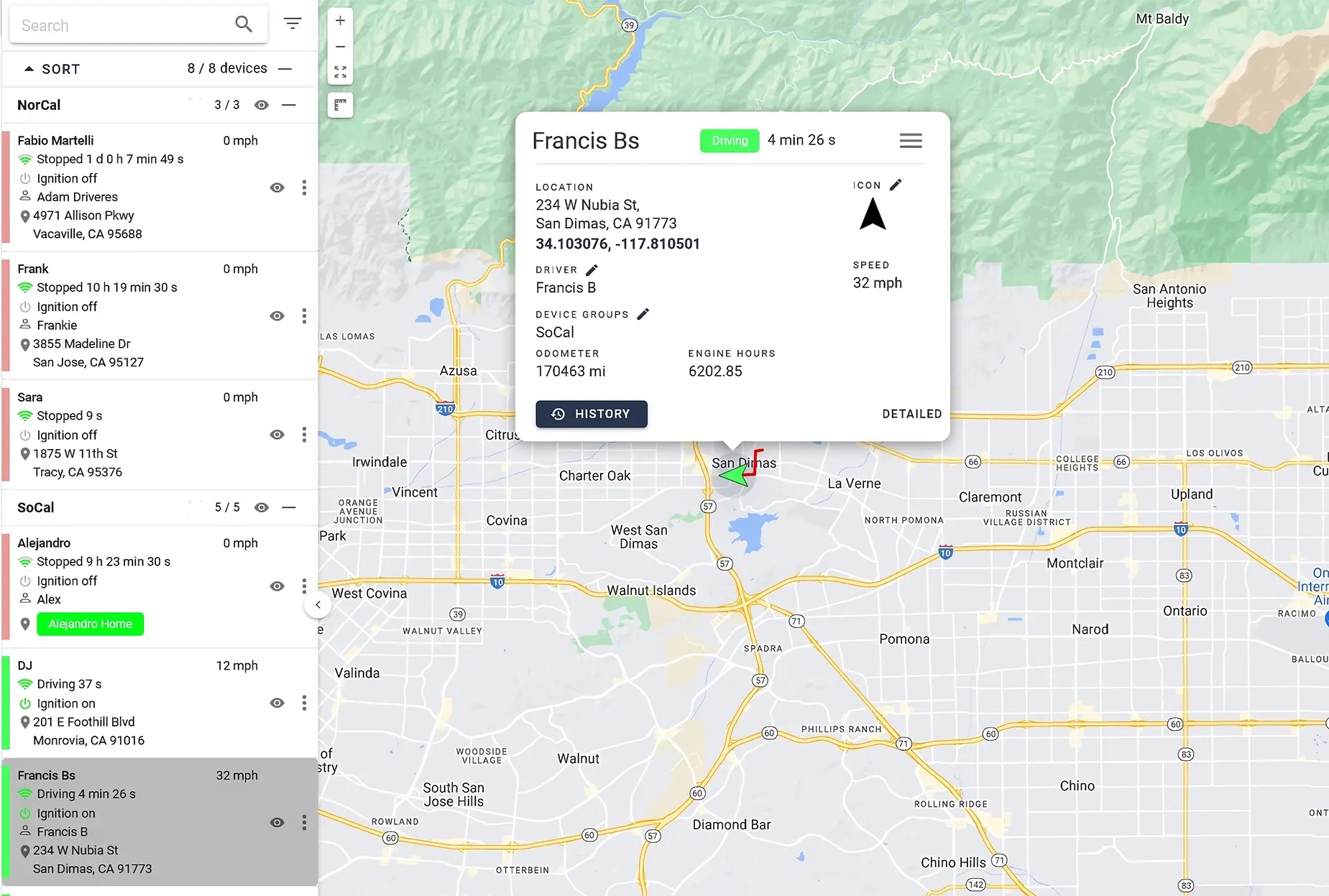
I have had several GPS tracking services and One Step GPS is by far the best. I have all my customers set up on the map with geofences, so I know how long my guys are at each house. Thank you for your great service!JerryRainway Landscaping
5. Lower fuel costs
Fuel is one of the largest controllable expenses in fleet operations and it continues to rise year after year. According to a 2018 ATRI report, overall operational costs in trucking increased by 7.7% and fuel had the highest jump at 17.7% year-over-year — proving how quickly fuel spending can erode profit when left unmanaged.
A GPS tracker with geofencing helps cut fuel waste by preventing unauthorized trips, enforcing efficient routing, and reducing detours or idle time inside restricted areas. When drivers know geofenced zones are monitored, unnecessary miles and fuel-wasting behavior drop fast.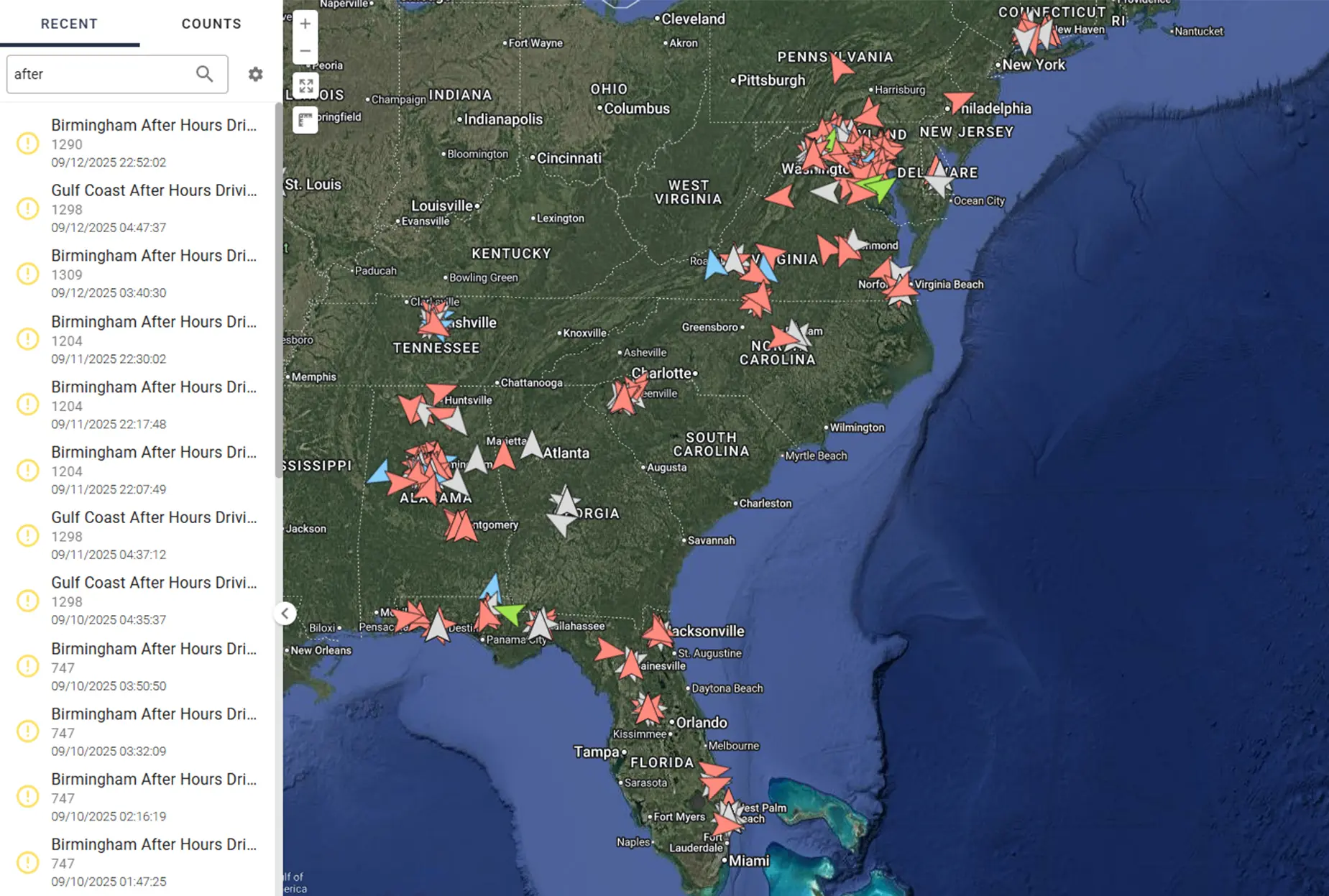
- Stop unplanned mileage and side trips
- Enforce the most fuel-efficient routes
- Reduce off-route idling and unauthorized movement
4 geofence features to look for
To protect your fleet, improve accountability, and automate monitoring, make sure your fleet tracking system includes unlimited geofences, custom shapes, real-time geofence alerts, and 24/7 visibility. These four core capabilities are what separate basic fleet tracking from true fleet tracking geofencing.1. Unlimited geofences
You should never have to choose which locations to monitor. Look for platforms that allow unlimited geofences, so you can lock down yards, job sites, customer locations, warehouses, and restricted areas without hitting a cap or paying add-on fees. A GPS tracker with geofencing should never make you choose which assets to secure.
With One Step GPS, you can set unlimited geofences with no add-ons required. You can draw a boundary around any area and define it as a restricted or designated zone. From that moment, your vehicles and assets are monitored in real time.
When a vehicle crosses a geofence boundary, the system instantly triggers an alert. These real-time geofence alerts can be sent via text message, email, or directly through the One Step GPS app.
2. Custom shapes and organizational tools
Most fleet managers start with circular geofences because they’re quick to draw — but they soon realize those circles cover too much unnecessary ground. The result? False alerts, noisy dashboards, and wasted time chasing phantom movements. When you’re managing dozens of assets or vehicles, accuracy matters more than speed.
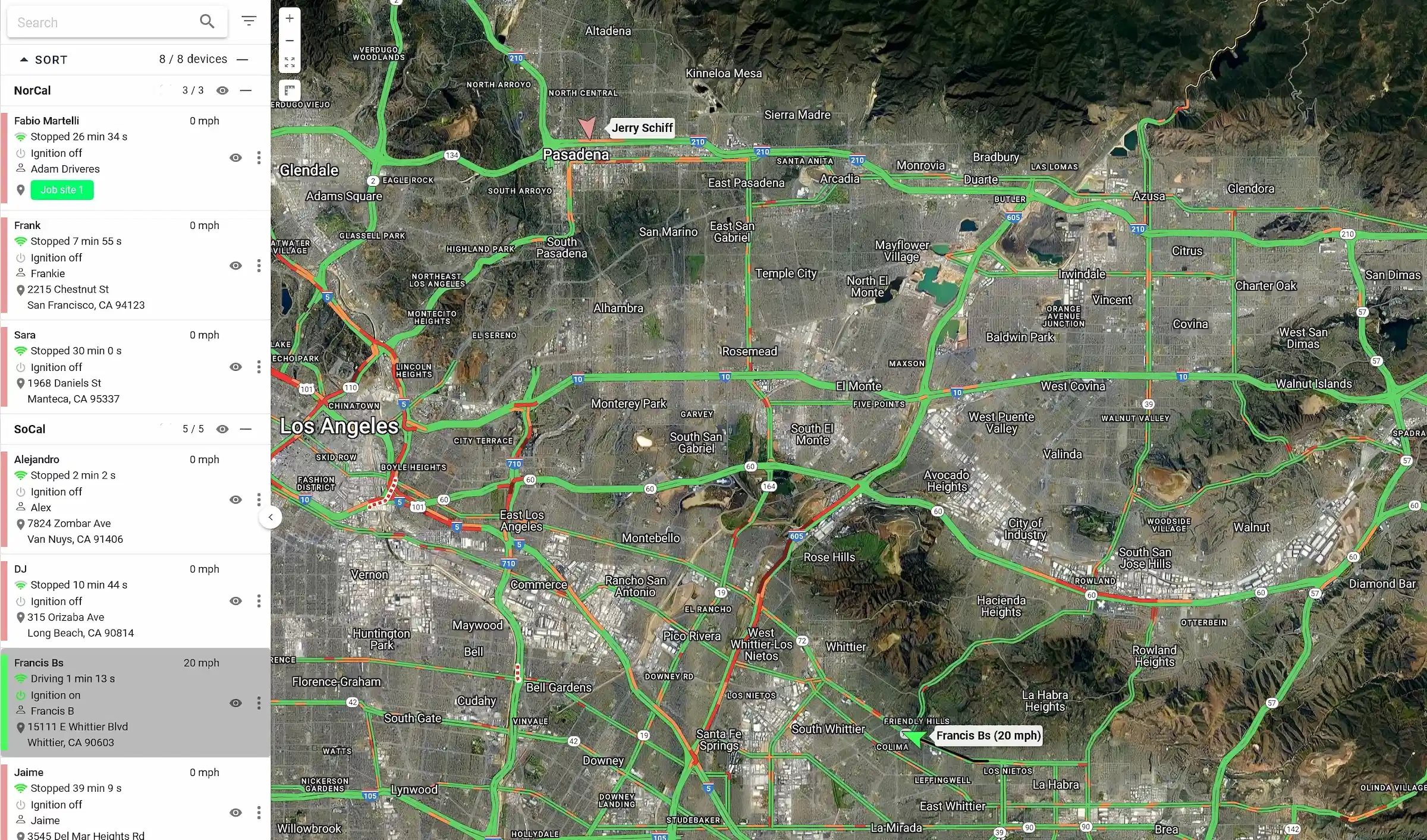
With One Step GPS, you can draw geofences that perfectly match your real-world job-site boundaries. Plus, the platform includes organizational tools like labeling and color-coding to keep every geofence clear and easy to identify. Label each geofence by its purpose, such as “Main Yard,” “Customer – East,” or “Restricted Area” and assign colors for quick scanning.
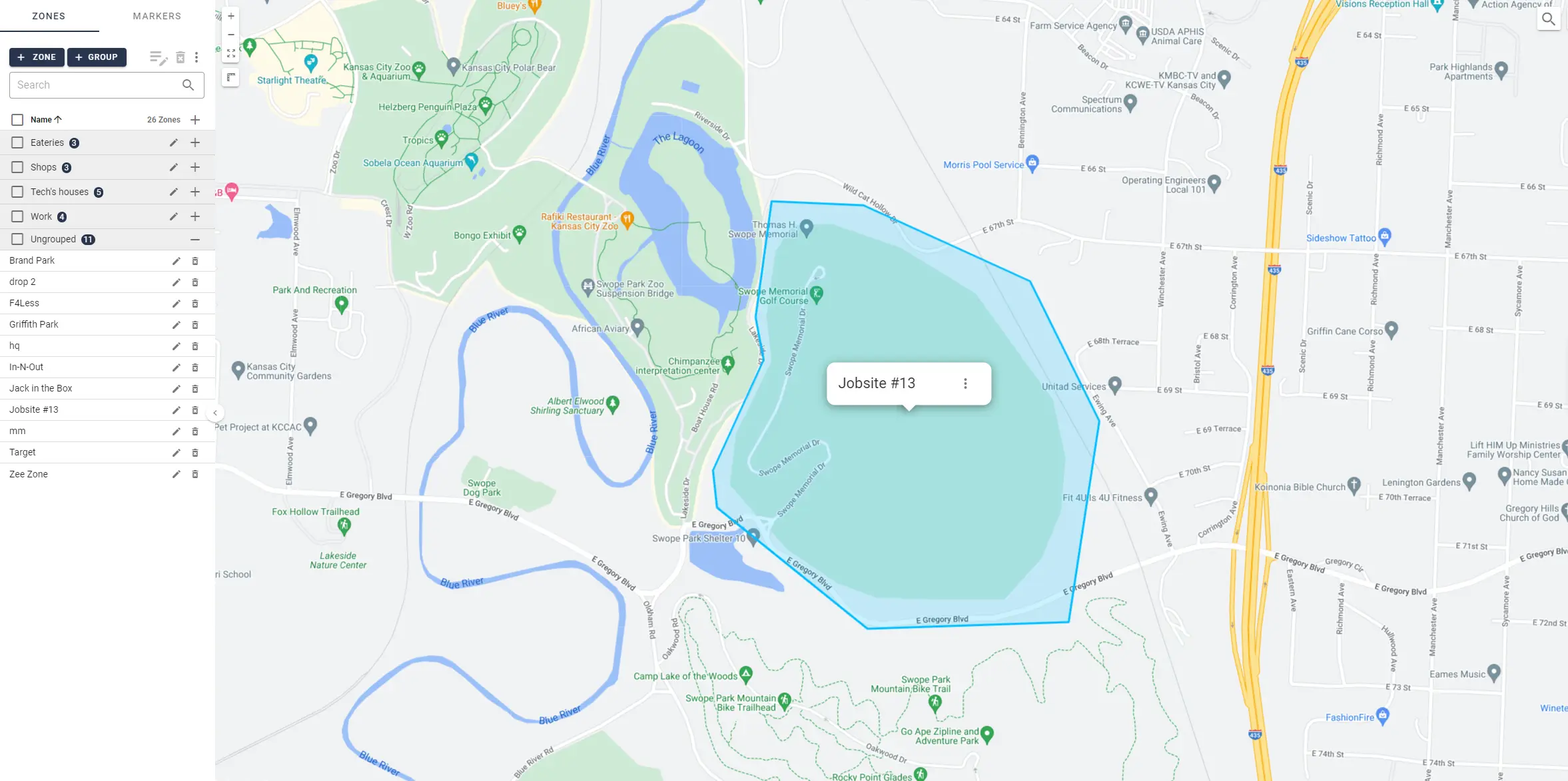
Tip: Use consistent color rules across your team. For example, blue for customer sites, green for company property, and red for restricted zones. It keeps your dashboard clean and prevents confusion.
3. Real-time alerts
Every second counts when a vehicle leaves a job site unexpectedly or enters a restricted area. If your alert system takes minutes to respond, the feature isn’t helping you—it’s holding you back. A GPS tracker with geofencing is only as good as its ability to deliver real-time geofence alerts the moment a boundary is crossed.
With One Step GPS, alerts are instantaneous. Whether it’s after-hours movement, unauthorized trips, or zone violations, the system notifies you within seconds, so you can act before small issues turn into costly problems.
★★★★★
Absolutely love this system. I can see where my drivers are at any minute and get feedback on driving habits. When I’m notified a driver is outside our geofence, I can contact them and correct it immediately.Kelly Auto
4. 24/7 visibility
You need a system that never “goes dark.” That means 24/7 visibility in the app and dashboard, with live tracking, alert history, and past movement logs.
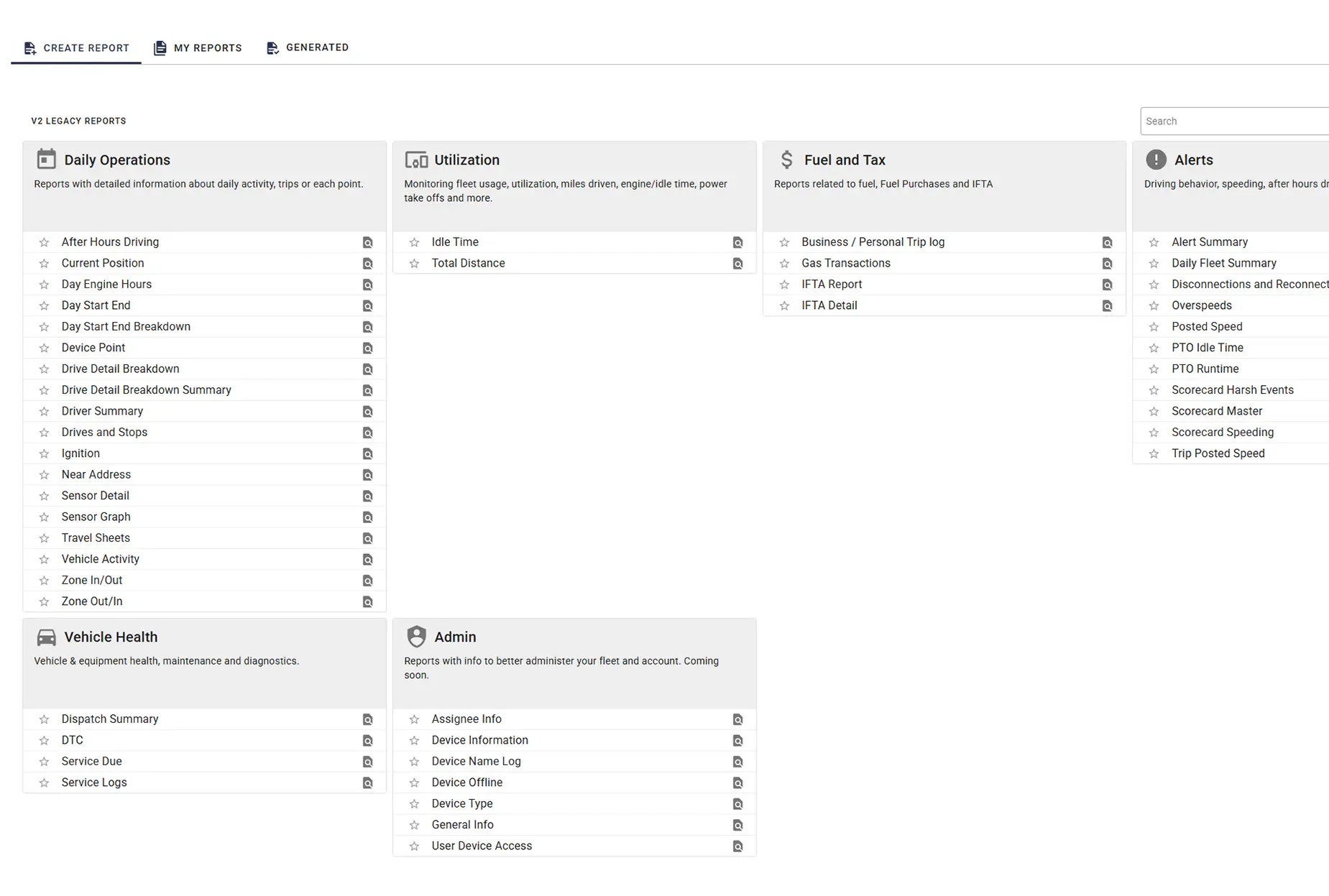
Every entry and exit event is automatically logged, giving you a complete record of how long vehicles spend in each geofenced area. Reports show time on site, dwell duration, and historical movement, ideal for billing, payroll, and compliance.
What to look for in a GPS tracker with geofencing
Use this list when comparing platforms, so you can match platform capabilities to the operational outcomes that matter to you.| Use case | What you need from the platform | What good looks like |
|---|---|---|
| After-hours theft prevention | Time-based alert filters, battery-powered tracker support, fast update rates | Day/time scheduling per geofence, powered + non-powered units, 1-30 second pings |
| Job site time tracking and billing | Automatic dwell time reporting, polygon shapes, entry/exit logging | Per-zone time logs, tight site-specific boundaries, full audit trail |
| Route adherence and dispatch correction | Fast update rates, mobile parity, push notifications | 1-30 second pings, full feature set on the mobile app |
| Multi-stakeholder alert response | Unlimited recipients, multiple alert channels | SMS, email, and in-app push to as many users as needed, no per-seat fees |
| Multi-region and jurisdictional operations | High or unlimited geofence count, polygon shapes | Unlimited zones with no per-zone fees, accurate boundary drawing |
| Scaling without surprise costs | Flexible contract terms | No per-seat fees, month-to-month, no contract |
Real case study: how geofencing saved a construction company $13,000 in just 7 hours
Most fleets use geofencing for fleet management to stop theft, improve productivity, and hold teams accountable without micromanaging. For Complete Builders LLC, a residential and commercial construction firm, the power of geofencing proved itself overnight.
Complete Builders LLC specializes in residential and commercial design-build projects, offering full-service project management and home improvement solutions. With multiple active job sites and valuable equipment spread across them, keeping assets secure was critical.
Loading video...
Owner Perry Leonard had tried GPS tracking before, but unreliable devices, poor customer support, and confusing billing left him frustrated. For more than a year, his fleet operated with no GPS protection at all—until he switched to One Step GPS and installed hardwired GPS trackers and secondary battery powered units, as a failsafe, on his trailers.
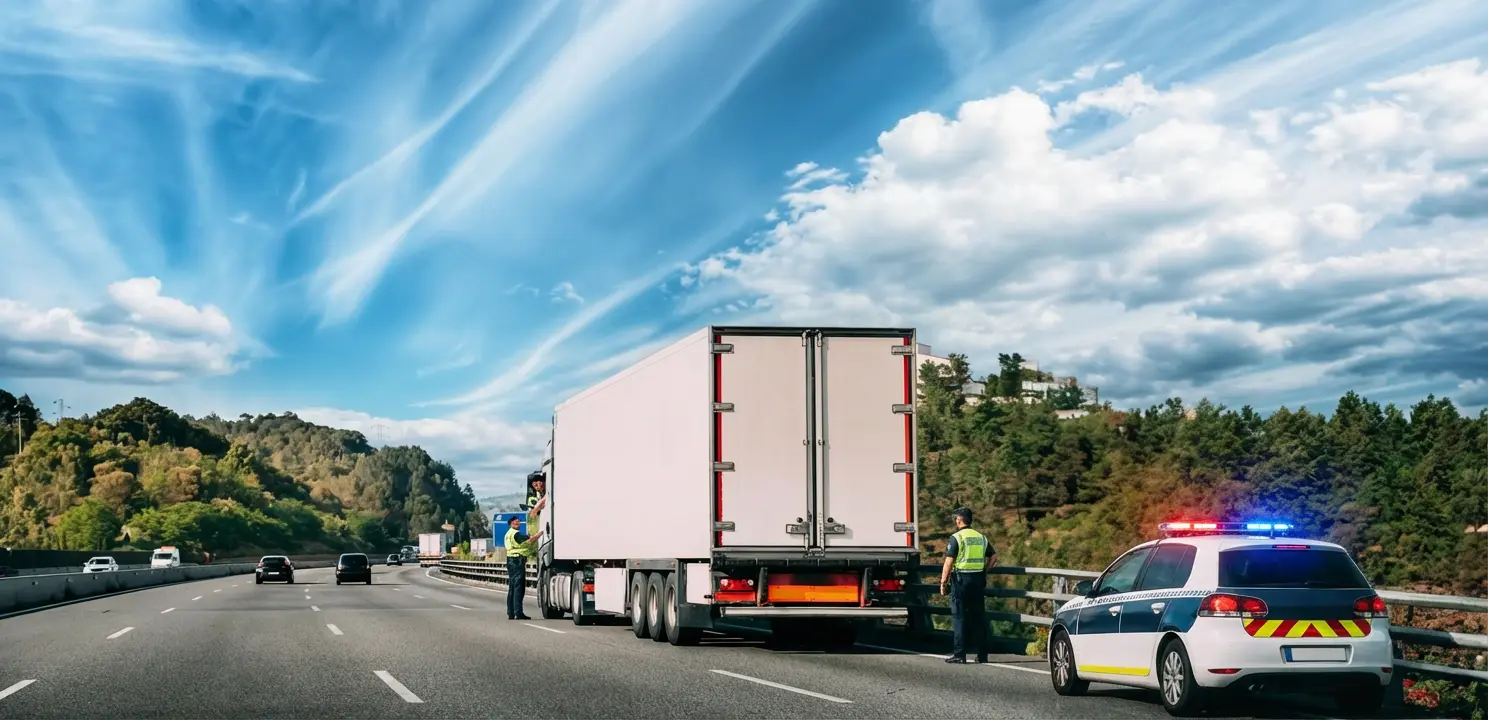
At 4:15 a.m., his phone buzzed with a real-time geofence alert: One of his trailers, valued at $13,000, was moving from a job site where it had been parked overnight.
Leonard opened the One Step GPS app and saw the trailer’s live location update in real time as it was towed away. He quickly contacted local law enforcement and shared the GPS coordinates from his phone.
Within 7 hours, officers located and recovered the trailer, where One Step GPS led them. By 11:00 a.m., the $13,000 asset was back on the job site, undamaged, with all tools and materials in place, and ready for use.
★★★★★
The police said, ‘If you hadn’t had the GPS on this trailer, we were never going to find it.’Perry LeonardOwner, Complete Builders LLC
Leonard realized that most theft risks happen after hours, when trailers and trucks sit unattended. To protect his fleet, he used One Step GPS’s geofencing tools to create digital boundaries around every job site and storage yard.
Whenever a vehicle or trailer moves outside those geofenced zones, the system sends instant, real-time alerts—day or night—via text, email, or app. That visibility gives Leonard immediate control and the ability to respond before it’s too late.
Creating a geofence in One Step GPS takes less than a minute. Fleet managers can draw zones around:
- Job sites – Protect parked trailers, equipment, and materials overnight.
- Storage yards – Monitor where vehicles are stored after hours.
- Customer locations – Track arrival and departure times automatically.
- High-risk areas – Flag unauthorized entry or suspicious movement instantly.
8 real-world uses of geofencing in fleet tracking
Geofences are one of the most practical and effective features in fleet tracking systems. They’re virtual boundaries that can be drawn around any area important to your operation. When used strategically, they automate alerts, reporting, and visibility across your fleet.
Below are eight common, real-world applications of geofencing for fleet management, with examples of how businesses use them every day.
Quick reference: 8 geofence use cases at a glance
| Use case | Purpose | Example application | Primary benefit |
|---|---|---|---|
| Business-controlled sites | Track entry/exit at company-owned property | Geofences around yards, depots, parking lots, and maintenance areas | Simplifies dispatch, prevents unauthorized overnight parking, improves site security |
| Job sites and customer locations | Automatically log time on site | Boundaries around recurring customer properties or active construction sites | Verifiable time-on-site data for payroll, billing, and customer reporting |
| Scheduled routes | Monitor route adherence | Geofences along routine delivery or shuttle corridors | Identifies detours, delays, and off-route driving |
| Service area boundaries | Define operational limits | Boundary around a regional service territory | Prevents unnecessary mileage and deters personal trips |
| State or regional boundaries | Track jurisdiction crossings | Geofences along state lines for IFTA reporting | Eliminates manual jurisdiction tracking and simplifies mileage-based reporting |
| Restricted or high-risk areas | Detect entry into "no-go" zones | Boundaries around residential neighborhoods, off-limits lots, or high-theft regions | Prevents unauthorized use and reduces risk exposure |
| Unauthorized movement | Detect activity outside work hours | After-hours geofence on the company yard | Deters theft and personal use of company vehicles |
| Operational analytics | Analyze performance patterns | Reports on dwell time within key geofenced areas | Supports data-driven route optimization and scheduling |
1. Business-controlled sites (yards, parking lots, maintenance areas)
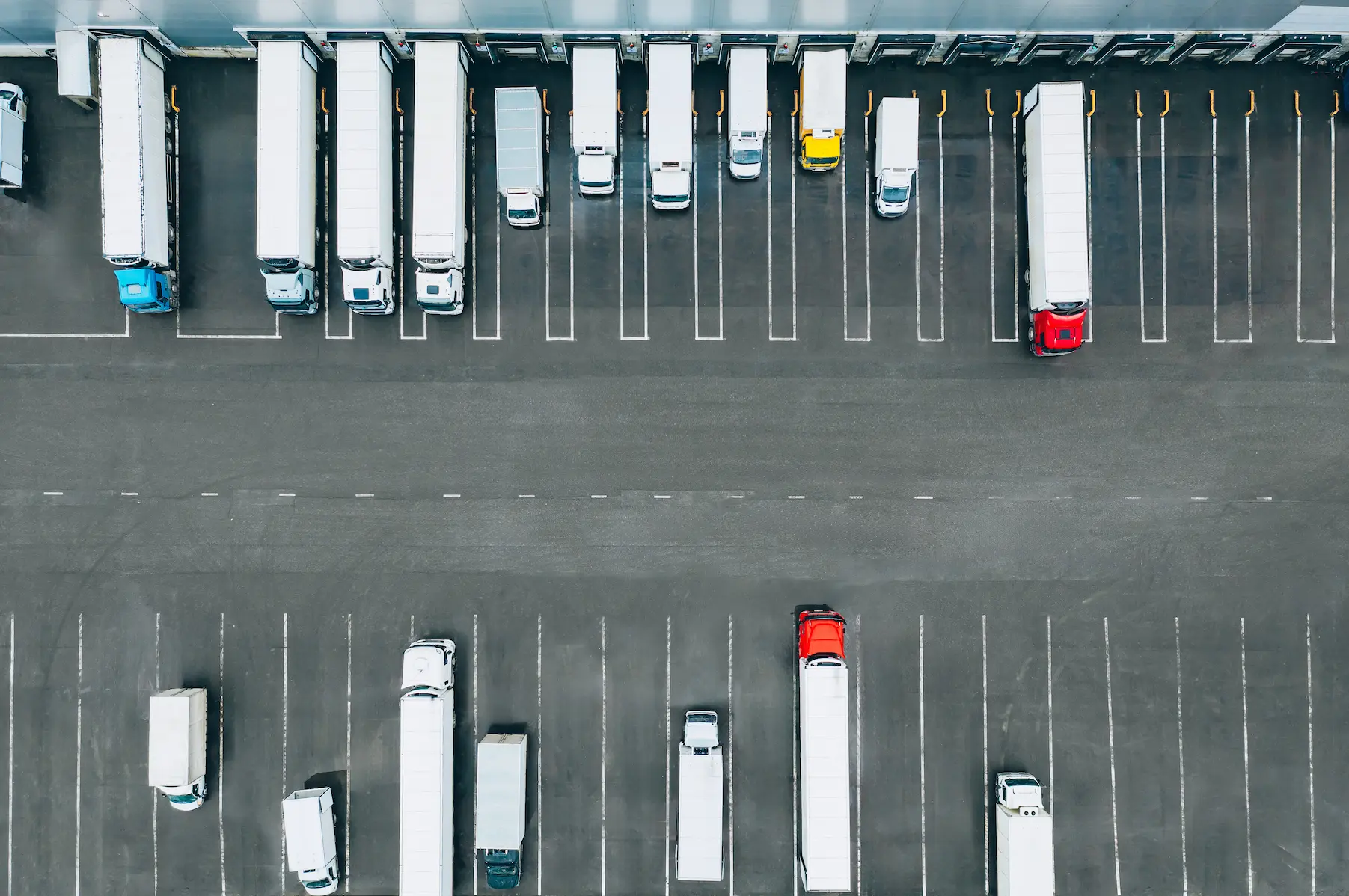
Purpose: Track when vehicles or assets enter or exit company-controlled property.
Use case: A fleet manager sets up geofences around parking lots, depots, and maintenance yards to monitor when trucks arrive, leave, or stay longer than expected.
Benefit: Simplifies dispatch coordination, prevents unauthorized overnight parking, and improves site security.
2. Job sites and customer locations
Purpose: Track time on site automatically.
Use case: Construction or service companies draw geofences around regular job sites or client properties to automatically log arrival and departure times.
Benefit: Provides verifiable time-on-site data for payroll, billing, and customer reporting.
★★★★★
We’ve had a great experience with One Step GPS. Using geofencing, we notify customers and provide the best just-in-time service. Alerts when entering and exiting zones are almost instantaneous, and we can update customers with precise equipment locations. It’s far superior to phone-based apps. Thanks, One Step!Hurley Trans
3. Scheduled routes
Purpose: Monitor route adherence and schedule consistency.
Use case: Delivery or shuttle fleets set geofences along routine routes to verify that vehicles stay within approved corridors.
Benefit: Helps identify detours, delays, or off-route driving for tighter control over efficiency and customer service.
4. Service area boundaries
Purpose: Define the limits of where drivers should be operating.
Use case: A regional fleet creates a boundary around its service territory. If a driver leaves the area, the system immediately triggers a real-time geofence alert.
Benefit: Prevents unnecessary mileage, deters personal trips, and keeps routes within approved regions.
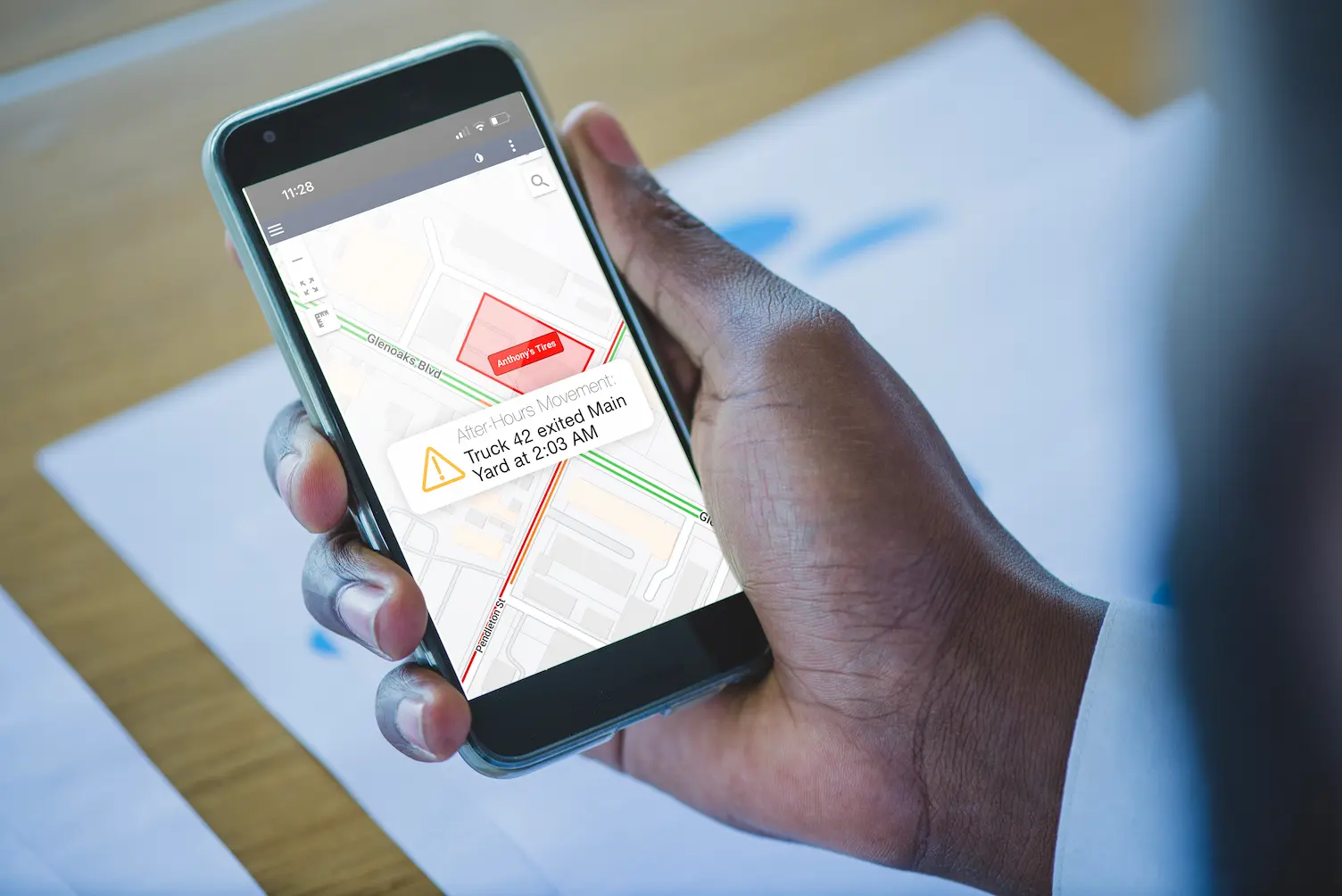
5. State or regional boundaries
Purpose: Track when vehicles cross state lines or regulatory zones.
Use case: Fleets use geofences to automatically log border crossings for IFTA fuel tax reporting or compliance purposes.
Benefit: Eliminates manual tracking of jurisdiction changes and simplifies mileage-based reporting.
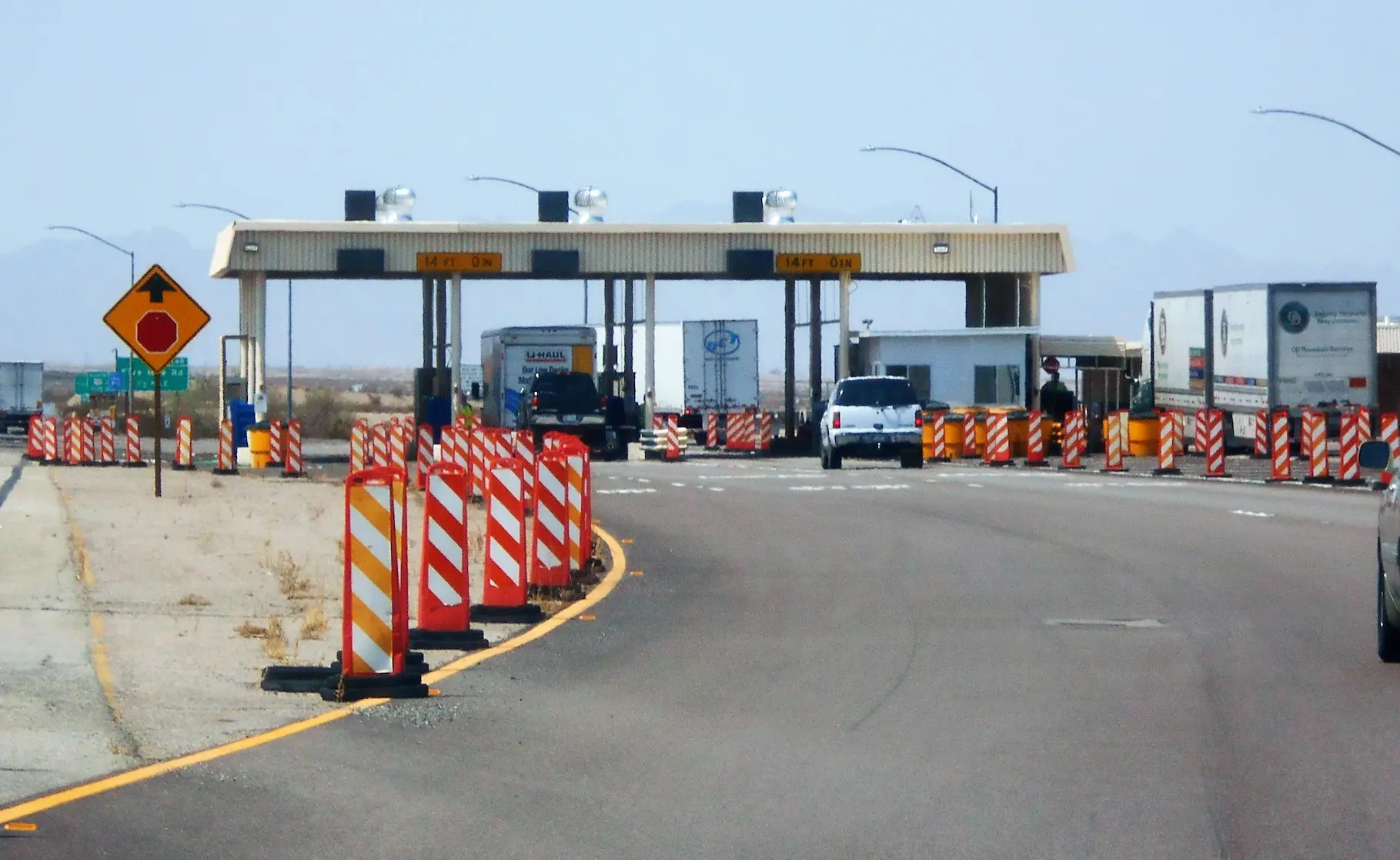
6. Restricted or high-risk areas
Purpose: Detect entry into “no-go” or unsafe areas.
Use case: A company defines restricted zones such as residential neighborhoods, off-limits lots, or high-theft regions.
Benefit: Prevents unauthorized use, improves compliance, and reduces exposure to risk.
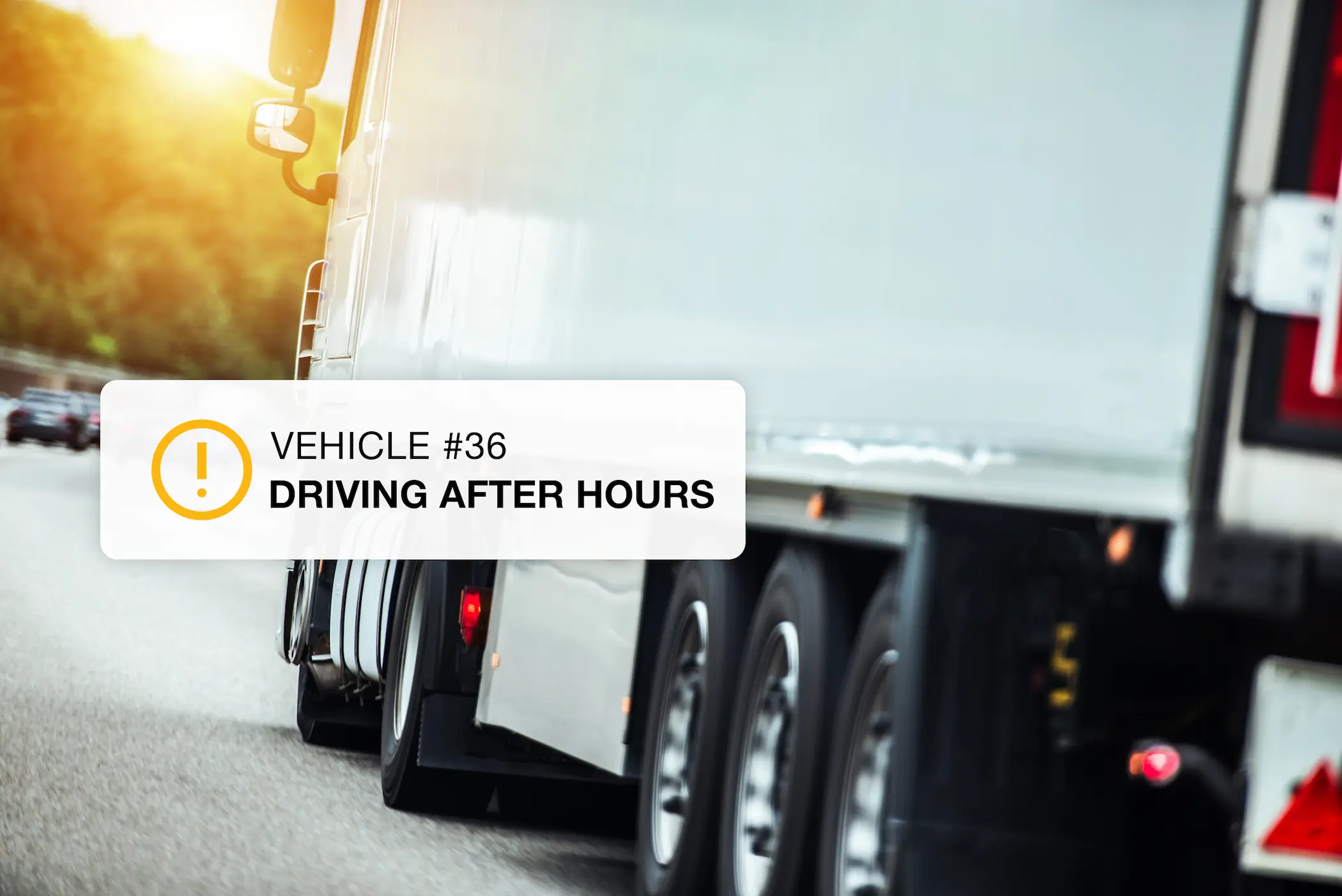
7. Unauthorized movement
Purpose: Detect vehicle activity outside work hours.
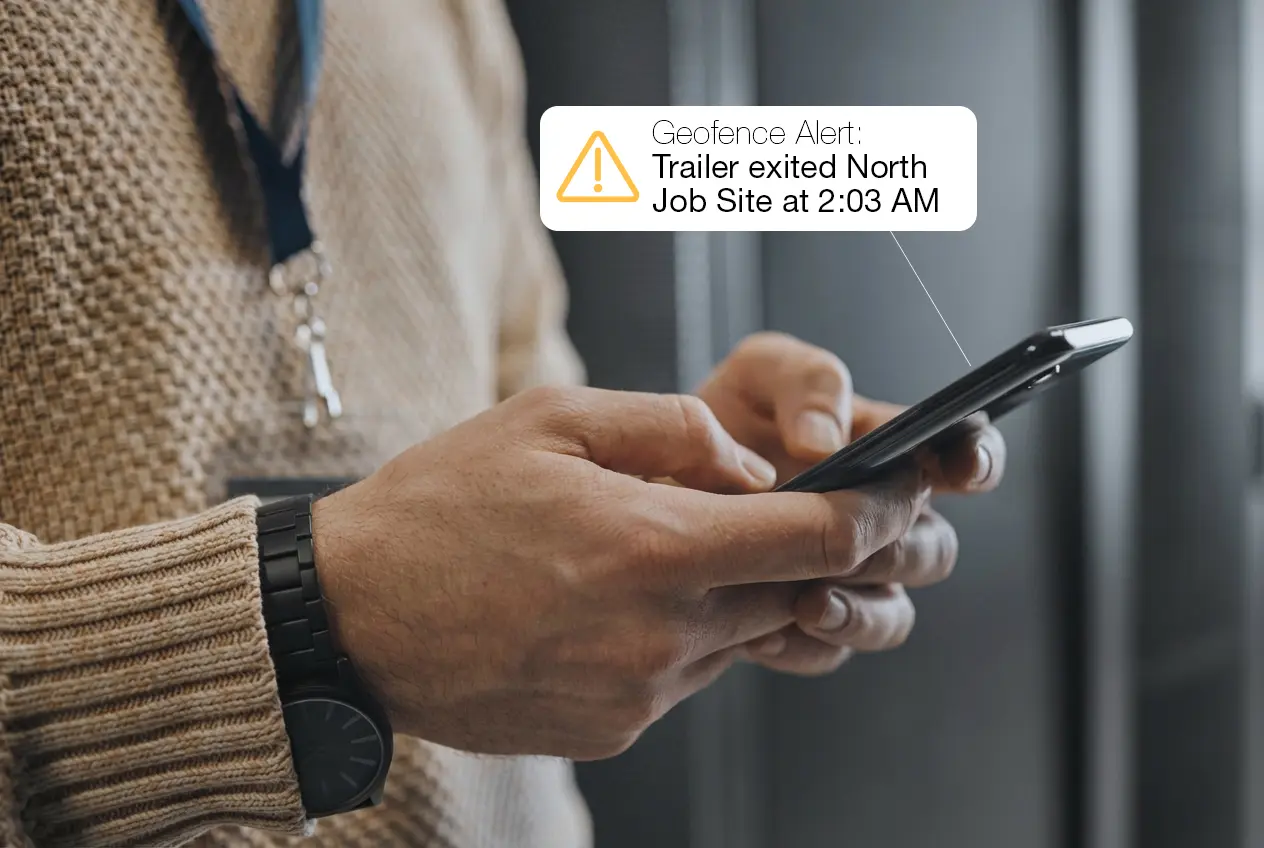
Use case: A geofence is set around a company yard with active hours defined. If a vehicle exits at 2 a.m., an alert is triggered.
Benefit: Deters theft and personal use of company vehicles.
8. Operational analytics and efficiency
Purpose: Analyze patterns and performance using geofence data.
Use case: Managers review reports showing how long vehicles stay within certain geofenced areas to identify inefficiencies or bottlenecks.
Benefit: Supports data-driven route optimization and better scheduling.
How One Step GPS does geofencing
When it comes to protecting assets, timing and accuracy make all the difference. A GPS tracker with geofencing is only as powerful as its speed, reliability, and ease of use — and this is where One Step GPS stands out. Built specifically for fleets that demand real-time control, One Step GPS makes geofencing for fleet tracking effortless, precise, and scalable for any operation.1. Unlimited geofences
With One Step GPS, there are no limits on the number of geofences you can create. You can secure every job site, yard, customer location, or restricted zone without worrying about extra fees or plan upgrades.
Why it matters:
- Protect all locations at once — no need to prioritize.
- Expand freely as your business grows.
- No “per-zone” billing or feature restrictions.
Tip: Start by geofencing your most theft-prone or high-value areas first. Then expand coverage weekly until your full fleet is secured.
2. 1-30 second update rates
A geofence is only as useful as the speed of its response. With update rates as fast as every 1-30 seconds, One Step GPS delivers near-instant visibility. That means the second a vehicle crosses a boundary, you’ll know.
Benefits of faster ping rates:
- Real-time alerts for theft or unauthorized trips
- More accurate tracking for police recovery
- Precise data for time-on-site and customer billing
Example: If a piece of equipment starts moving at 2:00 AM, One Step GPS detects it within seconds and immediately sends a real-time geofence alert. You’ll see its live location updated on your phone — second by second — ready to share with authorities.
3. Create custom zones
With One Step GPS, setting up a new geofence takes less than a minute. You can draw circular zones for quick setups or polygon shapes for precise, site-specific boundaries.Tip: Use polygon shapes for areas with irregular layouts or multiple entrances. They provide tighter accuracy and fewer false alerts.
Setting up a geofence in under a minute
Creating a geofence in One Step GPS takes three steps:- Draw the zone on the map
- Label and color-code it
- Set the alert rules
4. Reliable 24/7 alerting (text, app, email)
You shouldn’t have to monitor your fleet around the clock, your system should do it for you. One Step GPS provides 24/7 alerting through text message, app notification, and email. Send alerts to any number of users at no additional cost. When a vehicle exits a job site after hours, you’ll know instantly, no matter where you are.Key advantages:- Flexible notifications: Choose how and when you’re alerted
- Instant escalation: Notify multiple users or departments at once
- Audit trail: Every alert is logged for compliance and accountability
★★★★★
The geofencing feature is a standout. I define custom boundaries and get prompt notifications when the tracked object crosses those boundaries. Reliable connectivity and detailed reporting round it out. It’s been a game-changer for peace of mind.G. Samuel
5. Intuitive dashboard + mobile controls
Fleet managers need tools that are powerful but not complicated. One Step GPS’s dashboard and mobile app are known for intuitive ease-of-use, giving you complete visibility without a learning curve.
You can monitor zones and manage alerts in real time from your computer, tablet, or phone. Geofences can be created and adjusted through the desktop dashboard for full control and precision.
6. Works for vehicles and equipment
Geofencing isn’t just for vehicles. One Step GPS supports both powered and non-powered assets like trailers, generators, or heavy equipment. That means full coverage for everything your business owns, not just what has wheels.Use cases:- Construction: Protect parked trailers and on-site gear.
- Landscaping: Secure mowers and equipment left overnight.
- Delivery: Track cargo containers and pallets.
- Rental fleets: Prevent off-contract usage or loss.
Tip: Label geofences clearly by asset type (“Trailer Zone,” “Equipment Yard”) to keep alerts organized across departments.
Frequently asked questions
1. How accurate is vehicle geofencing?
Most fleet-grade GPS trackers are accurate to within 6–15 feet under open sky. Accuracy can drop to 30+ feet in dense urban environments where buildings reflect satellite signals. Polygon-shaped geofences perform better than circular ones in those conditions because they hug actual site boundaries instead of overflowing onto surrounding streets.2. Does geofencing work without internet?
The tracker uses GPS satellites to determine its location and a cellular connection to send that data to the platform. Positioning itself works anywhere with sky visibility, but alerts require a cellular signal to reach you. In remote areas with no coverage, location data is stored on the device and uploaded as soon as connectivity returns — so you still get a complete record, just delayed.3. Is geofencing legal for employee tracking?
While we cannot provide specific legal advice, GPS tracking and geofencing on company-owned vehicles is generally legal in all 50 U.S. states when employees are given proper notice, under the federal Electronic Communications Privacy Act (ECPA) framework. Best practice is to disclose tracking in writing through an employee handbook or driver agreement. Several states have specific statutory notice or consent requirements that go beyond best practice:- California — Penal Code §637.7
- Connecticut — Electronic Monitoring Act (Conn. Gen. Stat. §31-48d) and Public Act 21-56
- Delaware — Violation of Privacy Law (19 Del. C. §705)
- New Jersey — N.J.S.A. §34:6B-22 (effective April 2022; civil penalties up to $2,500)
- New York — Civil Rights Law §52-C (effective May 2022)
4. How many geofences do I need?
It depends on your operation. A landscaping company might set one per recurring customer location (often 50–200). A construction firm might focus on active job sites and storage yards (5–30 at a time). A delivery fleet might prioritize regional boundaries and service zones (5–10). Because One Step GPS doesn't cap geofences or charge per zone, you can start with your highest-value areas and expand as you go.5. Does geofencing drain tracker battery?
The geofence logic runs on the platform, not the device, so it doesn't directly affect battery life. What does affect battery is ping frequency — a tracker reporting every second drains faster than one reporting every minute. Hardwired and plugin trackers draw power from the vehicle and aren't a concern. Battery-powered units on trailers and equipment typically last 3–5 years between charges at default ping rates.6. What's the difference between geofencing and GPS tracking?
GPS tracking shows you where your vehicles are located. Geofencing tells you when they cross a line you care about. Tracking is the live data feed; geofencing is the automated rule layer that turns that data into alerts.7. Can I get alerts only at certain times?
Yes. Geofence alerts can be scheduled to fire only during specific windows — most commonly to catch after-hours movement (e.g., 7 p.m. to 6 a.m.) while suppressing normal workday traffic. This eliminates alert fatigue and keeps the system useful as your fleet grows.What to do next based on where your fleet stands today
If you're mid-contract with another provider
Geofencing is one piece of the larger fleet tracking decision. Read more on establishing asset security with GPS tracking.
Expert Picks: What to Read Next
Author

Mykael Korpash
Fleet and Tech writer
Table of Contents
Start using One Step GPS
Enterprise-grade fleet tracking, $13.95/mo, no contracts
100-day money back guarantee
Lifetime warranty
1-30 second updating
4G LTE Equipment


★★★★ ★ ★
4.9 / 5 Serving over 20,000 fleets
20,000+ of the world's fleets are monitored with One Step GPS



























Author
Mykael Korpash
Fleet and Tech writer
Mykael writes on all things fleet and tech for One Step GPS. She has a nuanced knowledge of actual user experiences with fleet tracking software and of modern fleet issues and covers the most important topics in the space.